How to connect to VPS on Mac?

Abstract:Mac连接VPS
How to connect to VPS on Mac?
first step
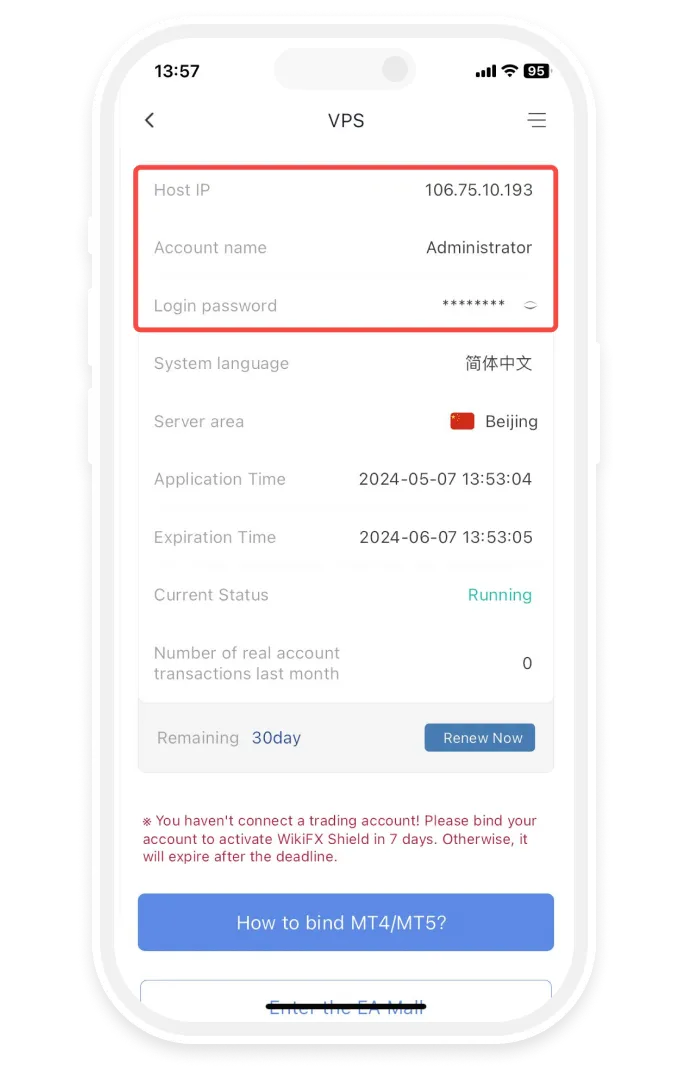
Open WikiFX APP, go to [My]-[My VPS] to get your host IP, username and password.
Step 2
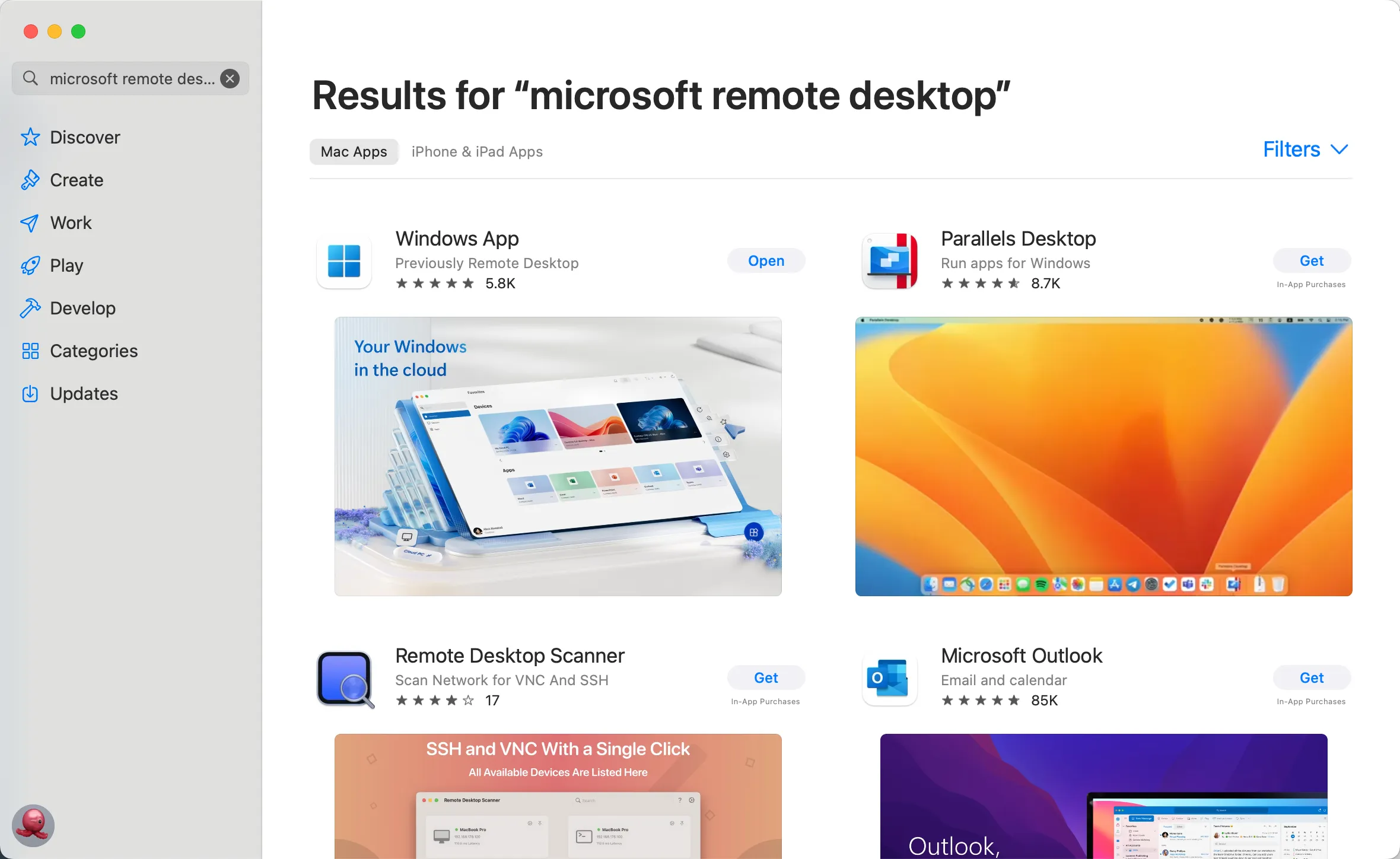
Install Microsoft Remote Desktop
-
• Open the App Store and search for “Microsoft Remote Desktop” to install the Microsoft Remote Desktop application.
-
• Download the Microsoft Remote Desktop application via the link below
https://apps.apple.com/us/app/microsoft-remote-desktop/id1295203466?mt=12
-
• If the App Store in your region does not support installing the Microsoft Remote Desktop application, please click
https://install.appcenter.ms/orgs/rdmacios-k2vy/apps/microsoft-remote-desktop-for-mac/distribution_groups/all-users-of-microsoft-remote-desktop-for-mac
third step
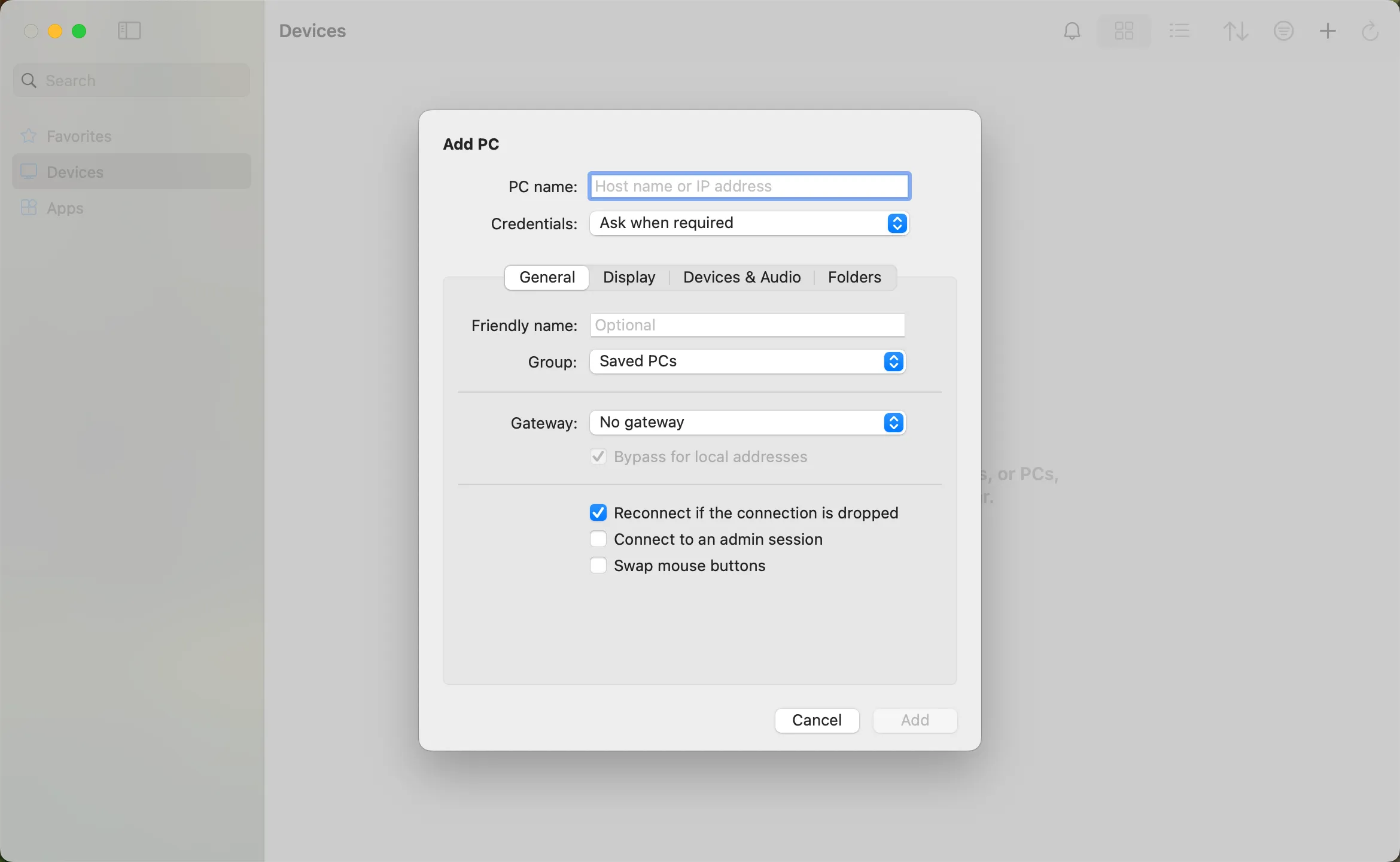
Click “Open” after installing the application, and click “Add PC” after opening:
the fourth step
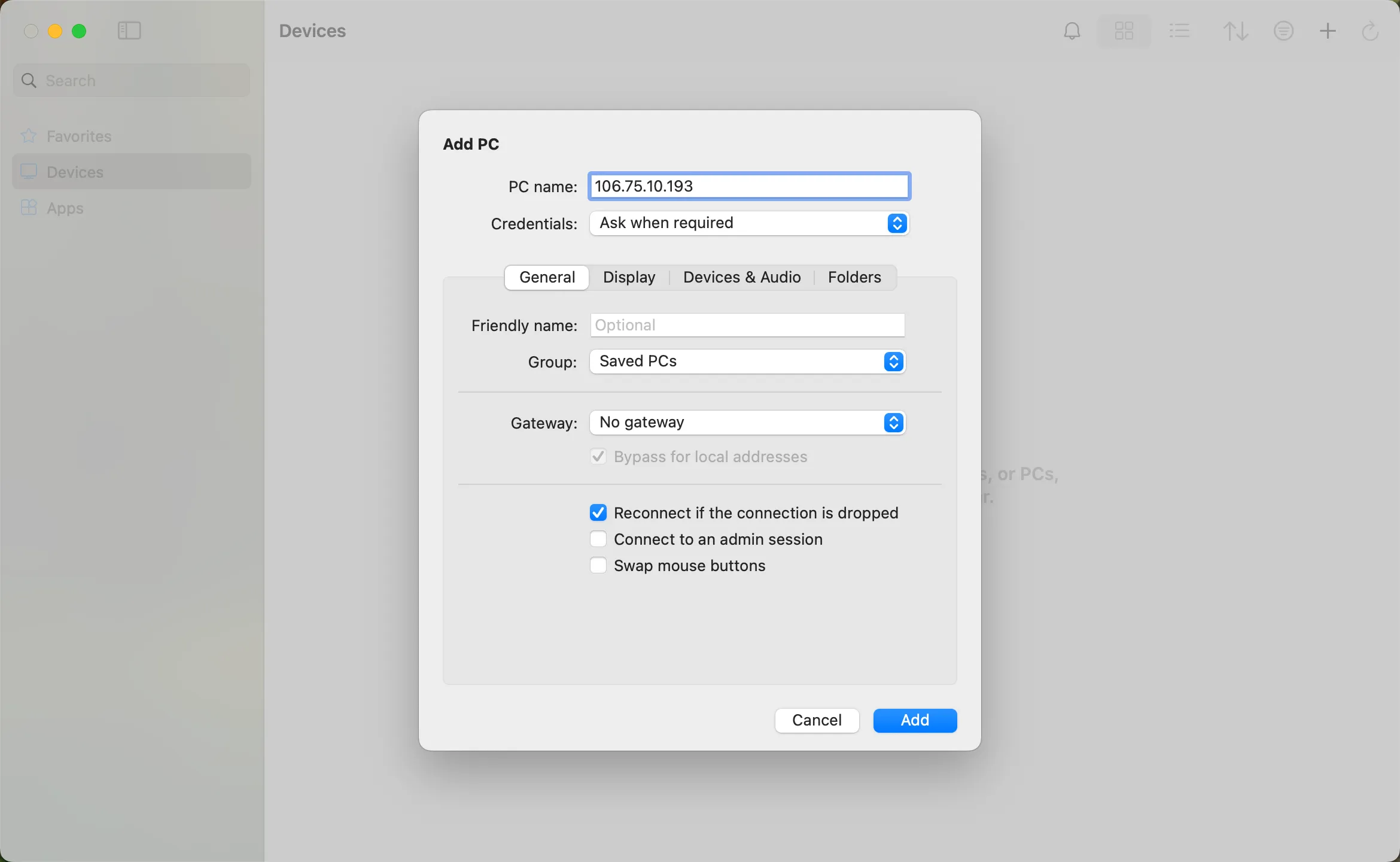
Enter the host IP in the PC name field and click Add
the fifth step
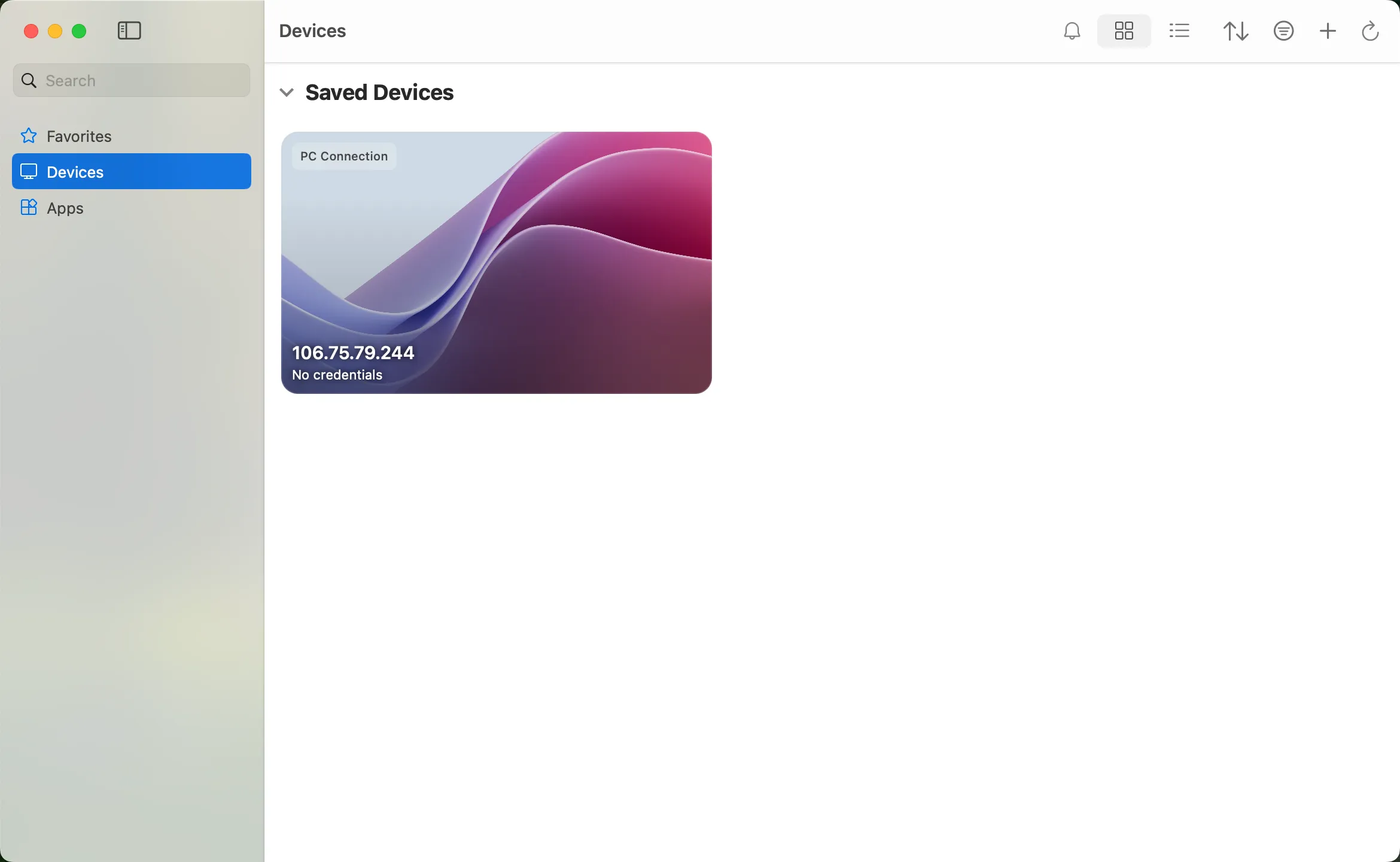
Double-click the new connection entry to connect to your WikiFX VPS, you will then be asked to provide your VPS credentials (EA VPS login name, login password)
Step 6
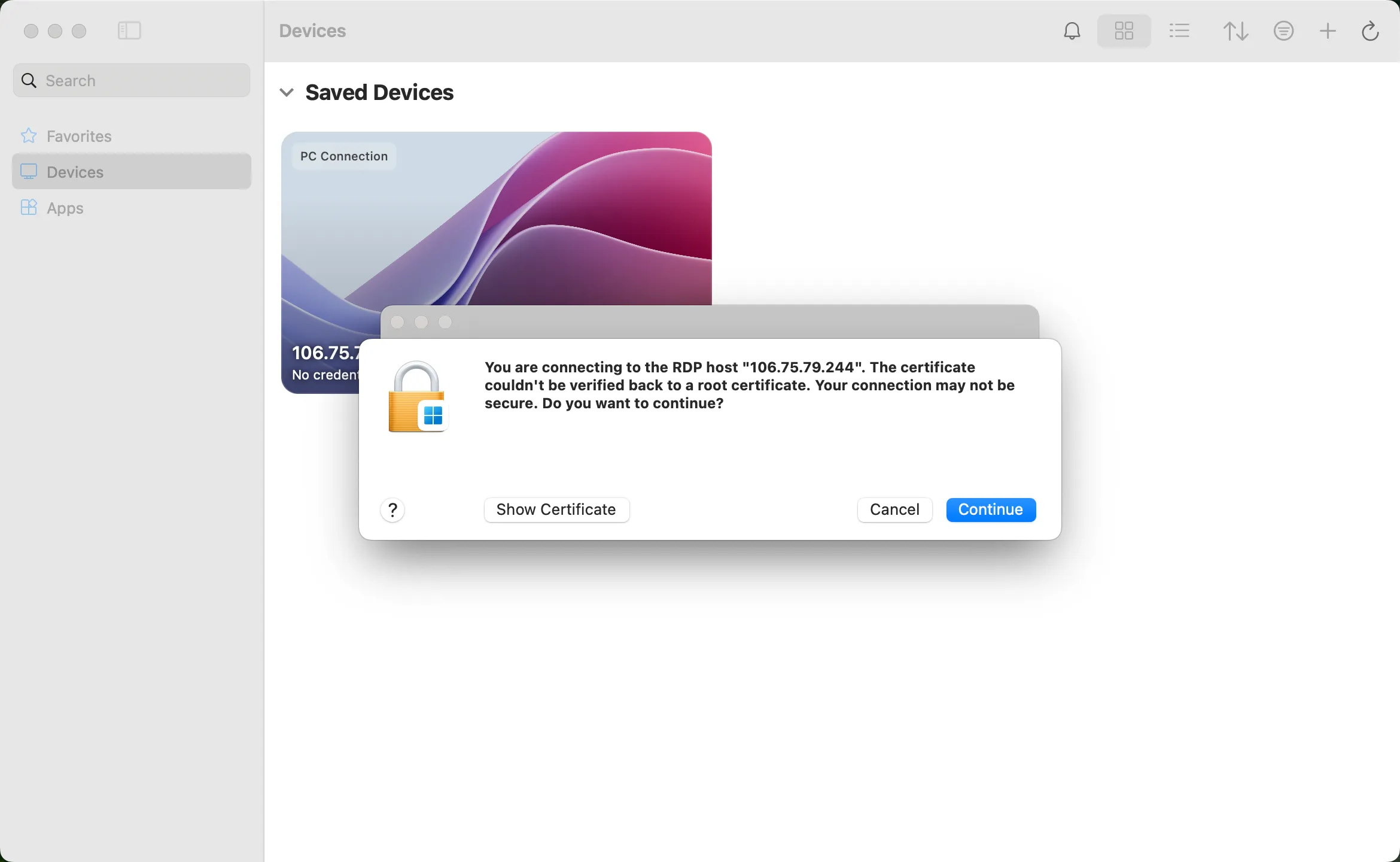
You will receive a certificate warning. Click “Continue”:
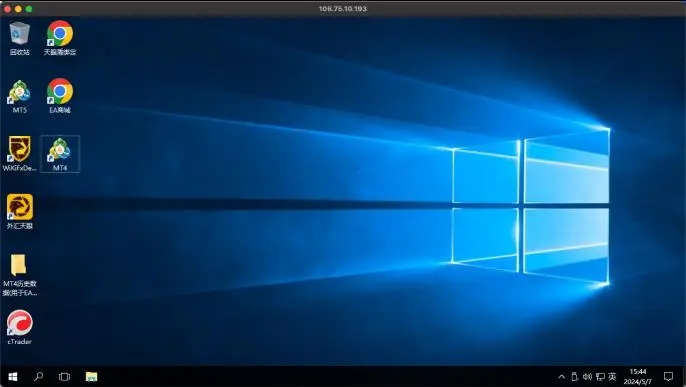
At this point you should see the Windows desktop, this is your WikiFX VPS desktop
WikiFX Broker
Latest News
World Bank warns of AI concentration risks as it lifts East Asia and Pacific growth outlook to 4.5%
WikiFXFrom Food Cart to Seized Mercedes: Panchkula Police Name Rajesh 'Nana' in Alleged Rs 8 Crore Fraud
WikiFXRBI MPC Meets Today: An Anticipated 25 BPS Hike Would be the First Since February 2023
WikiFXChris and Tiger Podcast – Euro Slides as France Fears, High Yields Shape Markets
WikiFXA 19.2x Nifty is cheap in rupees. In dollars, the hurdle is 13–15%
WikiFXU.S. Dollar Retreats On Profit-Taking: Analysis For EUR/USD, GBP/USD, USD/CAD, USD/JPY
WikiFXBangladesh ACC Files Case Against Eight Over Tk23.68 Crore Chattogram Land Fraud
WikiFXGold Slips to $4,141 an Ounce as ISM Services PMI Eases to 54.9 in September
WikiFXMarkets Rally as Oil and Bond Yields Fall, AI Optimism Holds
WikiFXFBS Review 2026: Traders Report Stop-Loss Issues and Deposit & Withdrawal Failures
WikiFXRate Calc
